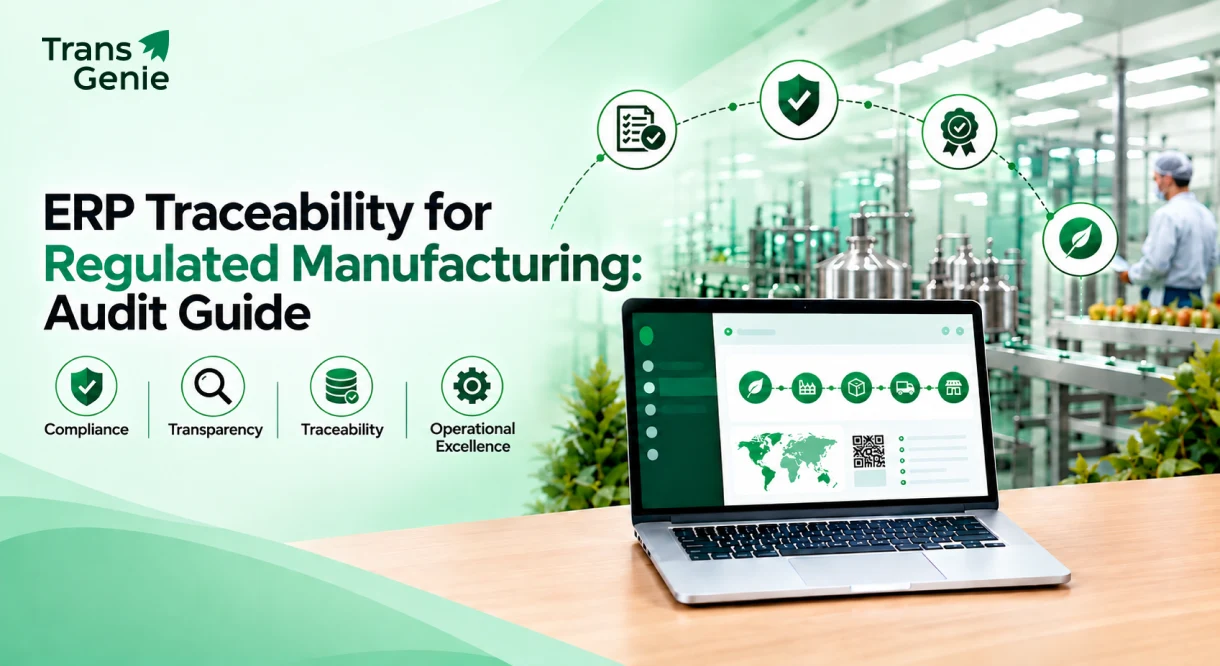
When an auditor walks into a regulated manufacturing facility, they want clear answers about the product’s journey. Where did it come from, what happened during production, and where did it go? This is where ERP traceability steps in to bridge the gap. It makes those details easier to track by keeping the batch information connected and accessible when it matters.
In this informative guide, we’ll walk through what auditors are actually looking for, where paper and spreadsheets fall short, and how ERP traceability helps close these gaps.
What “Traceability” Really Means on a Factory Floor
Traceability means the ability to follow a product through its entire journey. If someone asks where a product came from, you should be able to trace the materials used, the people and equipment involved, what happened during production, and where exactly the product ended up.
Traceability in manufacturing isn’t new. Manufacturers have used lot numbers, batch sheets, and other records for years. The difference now is that regulators and customers expect much more detail than in the past. So, having only a lot number isn’t enough.
This is where ERP traceability makes the difference. When traceability is built into the same system, handling purchasing, inventory, production, and shipping information stays connected. Material movements, scans, and work orders are recorded as the work happens, so there’s no need to piece everything together later.
The information needs to work both ways, depending on what you’re trying to find. One helps you find the source of the problem, while the other shows everything that may have been affected. Here’s a brief about both the traceability.
Forward Traceability
The traceability starts with raw material and follows it through production. Here, you can see which finished products used that material, where they were shipped, and who received them. This helps you see everything that may be affected if that material is a problem.
Backward Traceability
This starts with a finished product and works back through everything involved in making it. You can see the work order, machine operator, raw material lots, and suppliers connected to that product. With this traceability, you can find its source when a defect appears.
ERP, MES, & QMS: What’s Actually Responsible for Traceability?
This is one of the common questions when companies start looking at traceability: Should the ERP, MES, or QMS handle it? The short answer is that each system handles different parts of the picture.
- Your ERP (Enterprise Resource Planning) for the manufacturing industry setup manages materials, inventory, production, and shipping. This gives a clear picture of what moved where across the order-to-delivery process.
- MES (Manufacturing Execution System) focuses on what’s happening on the shop floor, capturing real-time production data.
- The QMS (Quality Management System) takes care of the quality process, such as CAPA, nonconformances, supplier quality, and document control.
A dedicated traceability platform brings these systems together. It captures item-level information at key points, such as scans, sensor readings, and shipment updates, then connects that data back to your ERP. This gives a clear, time-stamped record instead of leaving important information scattered across different systems.
When ERP, MES, QMS, and traceability work together, you can follow a product from the supplier’s certificate all the way to the customer’s shipment. You can even extend that visibility to the end customer with a digital product passport.
If you want to see how this works across a wider supply chain, then take a look at our guide on end to end supply chain traceability.
Why Spreadsheets & Standalone Lot Numbers Stop Working
Manual worksheets can do the work when things run in a small facility. A few dozen SKUs, single shift, and one plant are manageable with spreadsheets and paper files. However, when production grows, things will get hard to keep straight.
Adding multiple shifts, several production lines, or a customer asking for complete batch traceability within 24 hours, and this is where spreadsheets fall behind.
Here are some of the common problems auditors are likely to report first:
Blank fields, unreadable handwriting, and any entry that was never recorded can leave important gaps in the product history.
If the whole shift’s records were entered at once, it suggests they were completed later instead of during production.
Supplier, production, and shipping records are stored separately, making it hard to connect the information when needed.
Missing or damaged records can slow down a recall, turning a quick investigation into a search that can take days.
The auditors have already encountered these issues before, so they know where to look. The next question is what they actually expect to find when they review your traceability process.
What Auditors Look for in ERP Traceability: The Six Things That Actually Get Checked
For manufacturers in pharmaceuticals, medical devices, food, and automotive, ERP traceability is more than just a recordkeeping exercise. The auditors will look for reliable records, clear product history, and the ability to respond when something goes off track.
When an issue is found early, the company can fix things before it affects more products. Meanwhile, if the recall is delayed, the affected products may continue moving through the supply chain, which could turn a small issue into a bigger one.
ISO, FDA, IATF, and FSMA may use different words, but auditors usually look for the same core things. Here’s what those checks look like in practice.
Can You Trace the Whole Chain Without a Gap?
The auditor may choose a finished lot at random and ask you to trace it back to the raw materials, then forward ot to every customer who received it. If something doesn’t connect, then things won’t end up as planned.
For instance, let’s say a work order doesn’t match its raw material lot or a shipment that can’t be tied to the finished lot; it can become a finding. This is the basic test behind lot traceability and batch traceability.
Were Records Made in Real Time?
This is where timestamps matter. If most records for a shift were entered at the same time, it may mean they were filled in later instead of during production. The auditors need to see that each step was recorded when it happened.
This is exactly why scanners and connected equipment help provide real end to end traceability.
Is There a Clear Trail Behind Every Record?
With electronic records, the auditors need to know who created or changed something, when it happened, and why. They also need confidence that the records can’t be quietly altered without leaving any evidence.
Under FDA 21 CFR Part 11, audit trails, controlled access, and electronic signatures are required for regulated electronic records. Besides a basic spreadsheet, a blockchain-backed fixed ledger provides a stronger approach because changes cannot be made without leaving a visible trace.
Does Supplier Paperwork Connect to the Lot?
Incoming shipments should have a supplier lot, batch, or serial number, ideally following the GS1 standards. That identifier should connect directly to the certificate of conformance, certificate of analysis, and incoming inspection record.
Having these documents somewhere in the system isn’t enough. The auditors should be able to find the right documents for any lot within seconds. This is an important part of raw material traceability and a common weak spot in many facilities.
Can You Actually Run a Recall?
Some auditors now want to see a mock recall, not just read your recall procedure. They want to know how quickly you can find the affected lots and identify every customer who received them.
Under the FSMA-style expectations, food manufacturers must provide complete batch records within hours, not days. If this requires manually searching through records, it can reveal a serious weakness. Fast, connected recall management helps avoid these kinds of problems.
Who Can Touch the Records?
Auditors also check who creates, changes, or approves records. Access should be role-based, with responsibilities clearly separated. Behind all five checks is the ALCOA principle, which describes that the records must be attributable, legible, recorded at the right time, and accurate. If the records can’t be trusted, the entire ERP traceability process becomes harder to defend.
A lot number on a box tells you very little by itself. The real test is whether you can use it to reconstruct the product’s full history when an auditor asks.
The 3 A.M Question Every Plant Manager Dreads
Imagine getting a late-night call from a supplier saying one of their raw material lot may be contaminated. After hearing this, the clock starts ticking, and you need the answer fast: which finished products used that lot, and where did they go?
If answering that question leads to opening five different spreadsheets, calling three shift supervisors, and searching through a filing cabinet, then your tracing won’t be done in minutes or even hours. You’re actually piecing together clues under pressure, and that’s when mistakes happen.
Meanwhile, with connected traceability, you can enter the raw material lot number and immediately see the work orders that used it, the finished lots that came from it, and the customers who received it.
How ERP-Connected Traceability Actually Closes These Gaps
When traceability is connected directly to your ERP, the records don’t depend on someone remembering to enter them later. The information is captured as the materials move through the facility, covering three key stages.
Inbound Traceability: What Comes Through
- Supplier lots captured at goods receipt using QR, barcode, NFC, and RFID scans.
- CoA and CoC linked directly to each lot instead of stored separately.
- Incoming inspection, quarantine, and release managed within the workflow.
In-Process Traceability: What Happens on the Line
- Material usage recorded by batch against the exact work order.
- Operator, machine, and process data captured during production.
- Deviations and quality checks recorded as they happen, not added later.
Outbound Traceability: What Leaves the Building
- Finished lots and serialized shipments tracked.
- Customer destinations linked to the exact lots shipped.
- Recall and return details available in minutes, not days.
With scanners and connected equipment feeding the data directly into the ERP, timestamps come from the system rather than someone’s memory. The audit trail also builds as work happens instead of being reconstructed when an auditor asks for it.
This is the approach that TransGenie is built around. It connects with the ERP, inventory, and barcode systems you already use rather than entirely replacing them, while adding item-level QR, NFC, and RFID tracking.
In here, each event is anchored to a blockchain-backed record, making the chain difficult to alter without leaving a trace. When the auditor asks for a lot’s full genealogy, you can easily pull it up with a lookup instead of starting a two-day paper chase.
For a closer look at what gets captured along the way, see our guide on what manufacturing traceability software actually captures.
Benefits of ERP Traceability Beyond Passing an Audit
Traceability isn’t useful only during an audit. When it's connected to your ERP, it can make every operation faster, safer, and easier to manage.
Faster Recalls
Find the affected lots quicker, so you don’t have to recall unnecessary products and waste time.
Fewer Errors
Automated data capture reduces the potential mistakes from manual entries and paperwork.
Better Suppliers
Lot-level records help you identify the suppliers that are linked to the quality-related problems.
Less Downtime
Find the records you need in minutes instead of spending hours searching through spreadsheets.
More Trust
Quickly answer where the product came from and where it went, giving auditors more confidence.
Better Production
ERP traceability data can also help spot quality issues, rework, and production problems.
The Compliance Requirements Behind ERP Traceability
Every standard has its own requirements, and all focus on one major thing, which is having clear and reliable records that prove what happens at every step. Here’s a simple look at what each one focuses on most.
| Standard | Industry | What It’s Really Checking |
|---|---|---|
| FDA 21 CFR Part 11 | Life Sciences | Electronic records, audit trails, e-signatures, and access control |
| FDA UDI / 21 CFR Part 820 | Medical Devices | Device history, design controls, and unique device identification |
| ISO 13485 | Medical Devices | Lot and serial tracking, risk management, and product history |
| ISO 9001 | General Manufacturing | Product identification, traceability, and handling of nonconforming products |
| AS9100 | Aerospace & Defense | Production history for each unit, counterfeit-part control, and record retention |
| IATF 16949 | Automotive | Supplier quality, first-article inspection, and lot traceability |
| FSMA 204 / HACCP | Food & Beverage | Critical tracking events, key data elements, and fast recall traceability |
The requirements change from one industry to another, but the goal remains the same for all. Auditors want evidence they can verify, not just a statement that “we know where everything is”.
FYI! If you work around medical devices, our piece on ISO 13485 traceability requirements and the broader medical device supply chain goes deeper.
Three Myths That Get Manufacturers in Trouble
Even though ERP traceability looks simple on paper, a few assumptions can leave manufacturers exposed when they actually need to prove what happened.
“We have lot numbers, so we have traceability”
A lot number identifies a product or batch, but that’s only a part of the story. Full ERP traceability shows where it came from, what happened to it, and where it went. Auditors look only for that complete chain, not just a random number on the table.
“Our spreadsheets have never failed an audit, so it’s fine”
Maybe it hasn’t for the moment. The real problem with spreadsheets isn’t the inaccurate data. It’s finding, connecting, and presenting everything quickly when an auditor asks for it. A system that works during normal operations can become an issue when you need answers under pressure.
“Manufacturing traceability software is only for huge companies”
Not true at all. Many SMEs reach the point where the spreadsheets and disconnected systems simply can’t keep up with the growing products, suppliers, and production data. If customers ask for complete batch history or your team is spending hours pulling records together, it may already be time for a better approach.
A Quick Self-Check Before Your Next Audit
Imagine an auditor standing next to you and asking these questions. Could you answer each one without digging through spreadsheets, emails, or different systems?
Check off what your team can already do confidently:
- Trace a finished lot back to its raw materials and suppliers.
- Trace a raw material forward to every customer.
- Capture timestamps automatically as work happens
- Track who changed a record, when, and why
- Find supplier CoAs and CoCs linked to the right lot
- Run a mock recall and pull the full batch history quickly
- Control access by role and use electronic signatures when required
If you left more than a couple unchecked, don’t worry. Those are simply the areas most likely to get attention during an audit. They’re also where a connected ERP traceability system can make a big difference.
Final Thoughts
To conclude, good ERP traceability shouldn’t feel like extra work your team has to do for an auditor. It should be built into the way your manufacturing operation already works.
When every step is recorded in real time, the supplier records are connected to the production, and customer shipments can be traced back through the entire chain. With this, audits become much easier. Instead of scrambling through spreadsheets and paperwork, your team can find the answers when they need them.
ERP traceability helps make that readiness part of your everyday operations so that the next audit feels like a normal review, and not a last-minute scramble.
Yokesh Sankar